Instructions For Fillable PDF Forms
Are you having difficulty with fillable PDF forms?
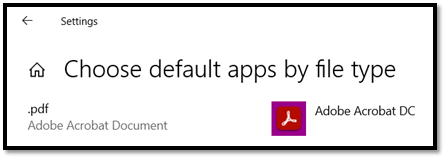
Fillable PDF forms must be opened and filled using Acrobat DC. Browsers such as Microsoft Edge or Internet Explorer are not compatible with these dynamic forms.
Instructions
Step 1 – Your PC Settings
Step 2 – Downloading The File
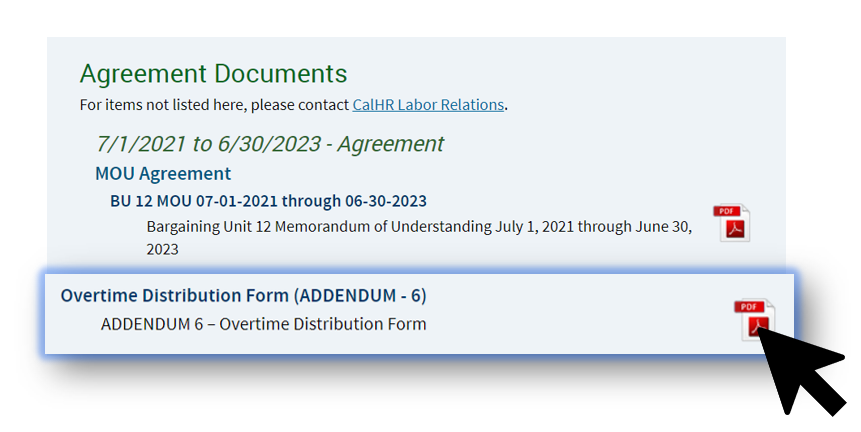
Open the file by clicking on the PDF hyperlink.
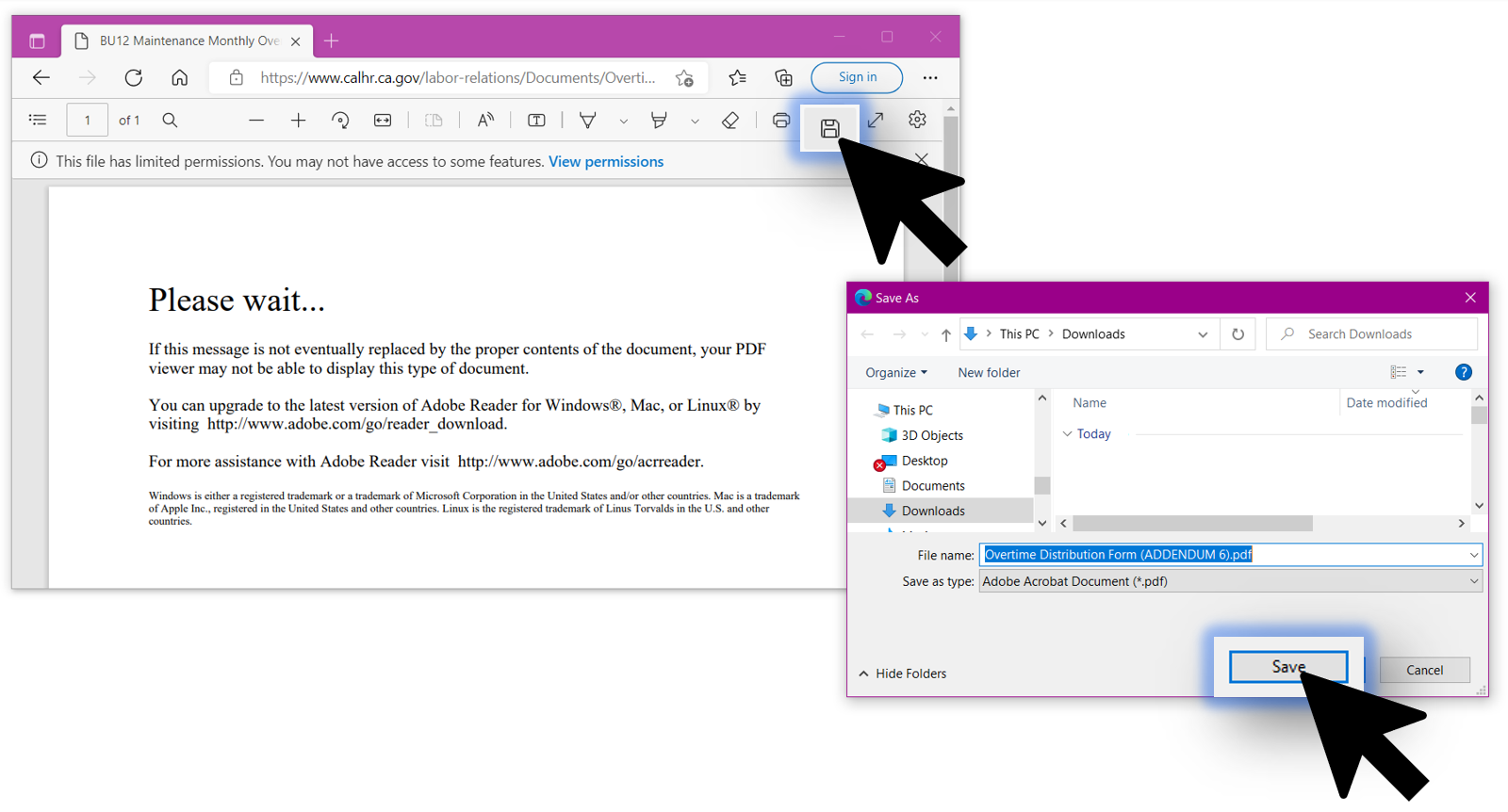
An error message may appear when the file opens. This is normal and will not impact the steps to follow. When the file has opened, click the e”Save” icon on the PDF’s browser tab and save the PDF to your local drive or OneDrive. Navigate to the location you saved the file to and double-click to open it – it will open in Acrobat DC
Step 3 – Completing The Form
You can now fill out the form (in Acrobat), and when you click Save As, a new PDF file will be saved that includes your filled information. Please note – once someone has digitally signed a PDF using the “Fill and Sign” method, that PDF can no longer be edited or its fields filled out.

Last Updated: 07/15/2025